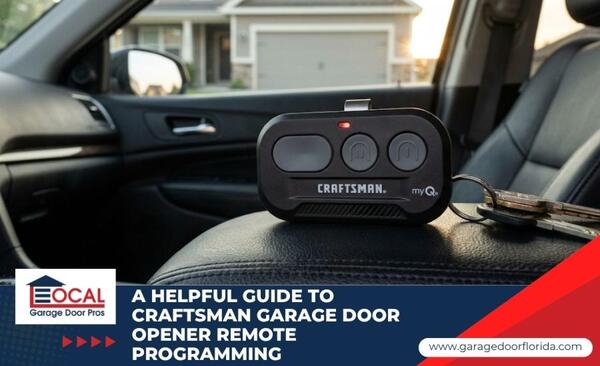
Craftsman garage door opener remote programming is a straightforward task that ensures your home stays secure and accessible. Many homeowners need to sync a new remote, reset access after moving into a home, or troubleshoot a remote that stopped working after an electrical issue. Understanding the specific technology behind your motor unit is the first step toward a successful setup. In this guide, you will learn how to identify your system, follow the correct programming steps, and know when to call for expert help.
The Essentials of Craftsman Remote Technology
Craftsman systems use specific radio frequencies and encryption methods to communicate between the remote and the motor. You need to understand these basics to ensure you purchase the correct hardware and maintain your home security.
Defining Craftsman Remote Programming
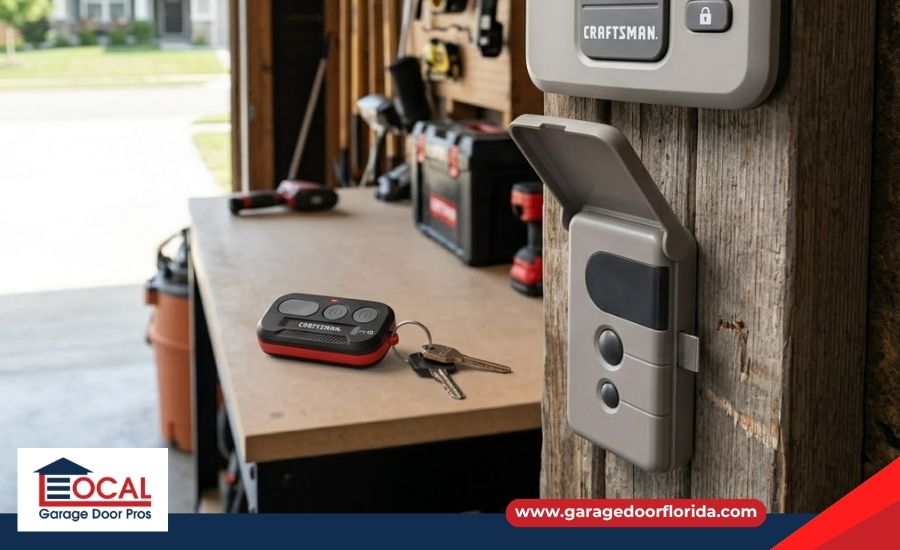
This process involves syncing a handheld transmitter or wireless keypad to the logic board inside your garage motor. It establishes a secure digital handshake that allows the door to operate only when your specific encrypted signal is detected:
- Signal Syncing: The act of matching the remote frequency to the motor receiver.
- Rolling Codes: A security feature that automatically changes the access code after each use, reducing the risk of unauthorized access.
- Logic Board: The internal computer that stores your remote's unique identity.
When to Reprogram Your Craftsman Remote System
There are several common scenarios where you will need to reset or add new devices to your opener. Most homeowners perform these steps during the following situations:
- New Remote Purchase: When adding a second remote for a new driver or replacing a lost one.
- Property Transfers: Resetting the system after buying a new home to wipe out old access codes.
- Opener System Failures: Re-syncing devices after stored settings are lost, the remote battery is replaced, or the logic board stops responding correctly.
How to Program Your Craftsman Remote
The programming process varies slightly depending on your unit's age, but generally follows a standard sequence. You must have clear access to the motor head and a compatible remote to complete these steps:
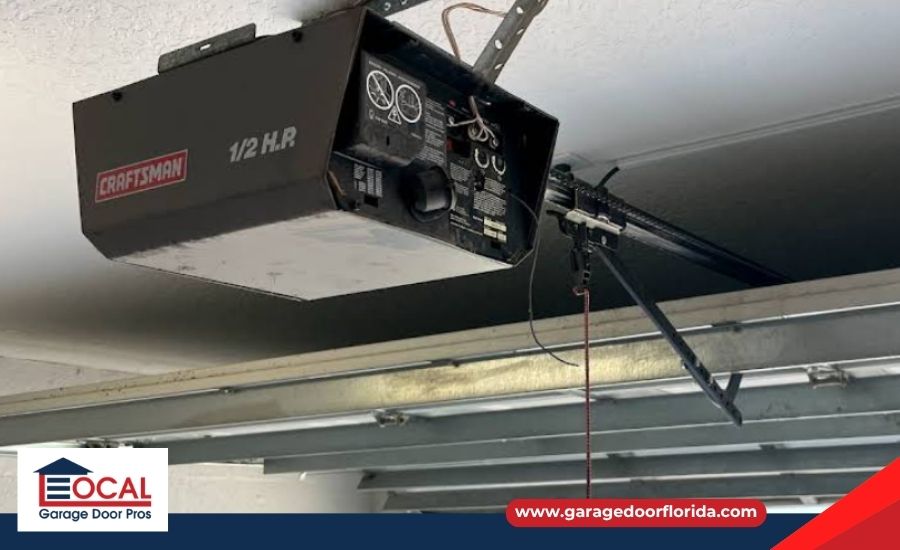
- Identify the Button: Locate the Learn Button on the back of the motor unit, which is usually green, orange, purple, or yellow.
- Activate Learn Mode: Press and release the Learn Button once to start a 30-second programming window.
- Sync the Device: Hold the button on your remote until the opener lights flash or the motor clicks, confirming successful programming.
- Final Testing: Wait a few seconds and press the remote button again to confirm the door moves as expected.
| Learn Button Color | Technology Type | Frequency | Era |
| Green | Billion Code | 390 MHz | 1993–1997 |
| Red / Orange | Security+ (Rolling) | 390 MHz | 1997–2005 |
| Purple | Security+ (Rolling) | 315 MHz | 2005–2014 |
| Yellow | Security+ 2.0 (Tri-Band) | 310/315/390 MHz | 2011 and newer models |
Why Professional Garage Door Services Are Valuable
While basic programming is a simple DIY task, some situations involve complex mechanical or electrical issues that require a specialist. Professionals ensure your entire entry system meets modern safety standards and operates reliably. Experts provide the following advantages:
- Hardware Compatibility: Technicians can identify exactly which high-frequency remotes work with legacy Craftsman models.
- Safety Compliance: Pros can check that your photo eye sensors are aligned and that your opener's safety features follow UL 325 safety regulations.
- Mechanical Diagnostics: Specialists check if a programming failure is actually caused by a failing logic board or a worn-out motor.
Keep Your Craftsman Garage Door Opener Secure
Successfully syncing your remotes is the best way to maintain the convenience and safety of your garage entry. By identifying your Learn Button color and following the proper timing, you can handle most programming needs in just a few minutes.
Local Garage Door Pros is a full-service garage door company serving the Clearwater, FL area, specializing in comprehensive garage door repair, new garage door installation, and emergency garage door repair for local homeowners and businesses.
Get synced up. Connect with our emergency garage door repair team to troubleshoot your logic board.
Frequently Asked Questions
How do I program a Craftsman garage door remote?
Climb a ladder to access the motor head and press the colored Learn Button once. Within 30 seconds, press and hold the button on your handheld remote until the opener lights flash to confirm the sync.
What color is the learn button on my Craftsman opener?
Craftsman openers use green, red/orange, purple, or yellow buttons. You can find this button on the back or side of the motor unit, often hidden behind the plastic light lens.
Why won't my Craftsman remote sync to my car?
Many vehicles require you to first "train" the car's button using a working handheld remote before the car can communicate with the motor. If your opener has a yellow Learn Button, you may need a specialized bridge or repeater for older vehicle systems.
How do I reset my Craftsman garage door opener code?
Press and hold the Learn Button on the motor unit for about 6 seconds until the indicator light goes out. This wipes the memory of all existing remotes and keypads, requiring you to reprogram each device individually for security.
Can I use a universal remote with a Craftsman opener?
Yes, provided the universal remote supports the specific frequency of your Learn Button. Always check the packaging for compatibility with Security+ or Security+ 2.0 technology before purchasing.
Recent Posts
-
Diagnosing a Garage Door That Jerks When Closing
Jul 26, 2026 -
Diagnosing a Garage Door That Bounces When Closing
Jul 26, 2026 -
Why is My Garage Door Making a Grinding Noise?
Jul 26, 2026