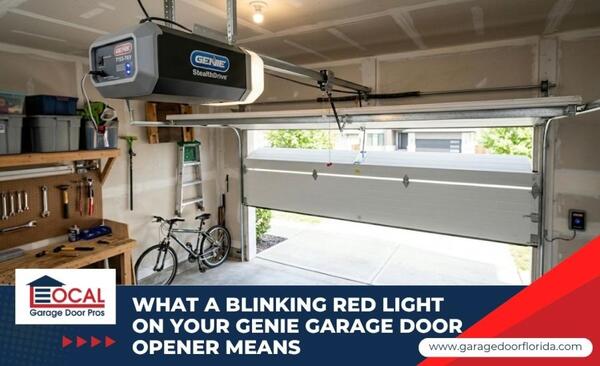
Finding a blinking red light on Genie garage door opener units can be incredibly frustrating, especially when you are just trying to leave the house or lock up for the night. Fortunately, this flashing light is not a random glitch but a diagnostic indicator that helps identify the source of the problem. On many Genie models, a blinking red light often points to a safety sensor issue, wiring problem, travel limit setting, or wall console lock. The exact meaning can vary by opener model, so always check the owner's manual for the correct diagnostic code.
Most of the time, the issue is a quick fix that does not require buying a brand-new motor or paying for an expensive service call. In this guide, you will learn how to decode these flashing lights, fix the issue yourself, and recognize when it is time to call in an expert.
What Does a Blinking Red Light on a Genie Opener Mean
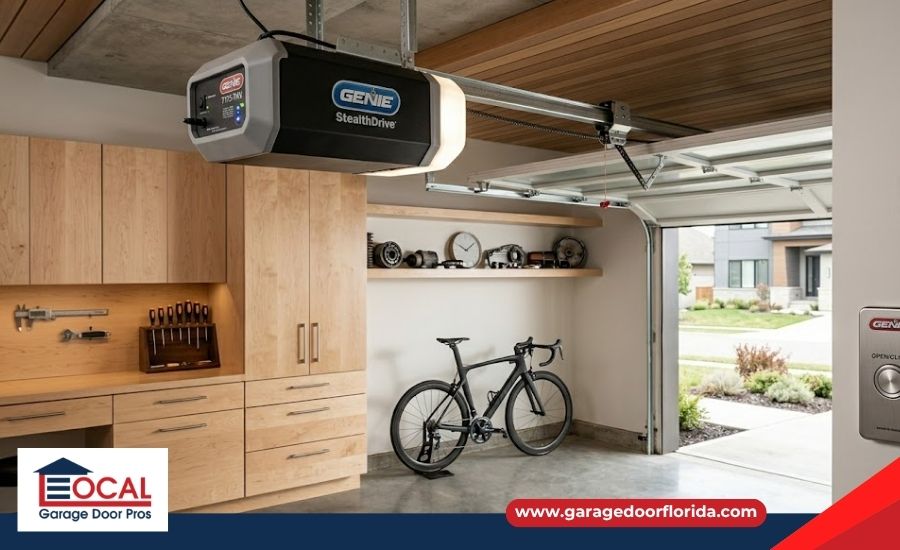
Genie garage door openers use diagnostic lights on the motor head, wall console, or Safe-T-Beam sensors to help identify operating problems. However, flash patterns can vary by model and production year. Counting these flashes helps you pinpoint whether you are dealing with a simple blocked path or a more serious internal circuit board issue:
- 1 Red Blink: On many Genie systems, one red blink can point to a blocked Safe-T-Beam path, dirty sensor lenses, or sensors that are not facing each other correctly. Check for boxes, tools, leaves, spider webs, dust, or anything crossing the sensor beam near the floor.
- 2 Red Blinks: Two red blinks often suggest a safety sensor wiring problem, a loose low-voltage connection, damaged bell wire, or an open circuit between the sensors and the opener head. Check both sensor terminals and look for pinched, stapled, chewed, or disconnected wires.
- 3 Red Blinks: Three red blinks may point to a wall console setting, vacation lock, programming issue, or model-specific control fault. If the remote will not work but the wall button still operates the door, check whether the lock feature is turned on.
- 4 Red Blinks: Four red blinks may indicate a more serious opener fault, such as a logic board, power, or internal control issue. If cleaning the sensors, checking the wiring, and resetting the opener do not clear the light, the unit may need professional diagnosis.
- Solid Red Light: A solid red light can mean different things depending on the Genie model. It may relate to wall console power, programming mode, travel limits, or another system status. Check the owner's manual before assuming the opener has lost its memory.
- Flashing Long LED: A long or repeating LED flash can point to a force, travel, sensor, or mechanical issue, depending on the model. If the opener hums, clicks, reverses, or struggles to lift the door, stop testing it and inspect for a broken garage door spring, snapped cable, or binding track.
Step-by-Step DIY Troubleshooting for Your Genie Opener
You can fix the majority of these common error codes on your own without any special tools or technical training. Follow these steps to clear the error code and get your garage door moving safely again:
- Clean and Realign Floor Sensors: Wipe the lenses with a microfiber cloth and adjust the brackets until the sending light stays solid red and the receiving light stays solid green.
- Check the Wall Button Lock: Look at your wall console and slide the vacation switch back to the unlocked position.
- Perform a Hard Reset: Unplug the main motor power cord from the ceiling outlet for sixty seconds to clear out any temporary electronic glitches.
- Reprogram the Travel Limits: Follow your Genie owner's manual to reset the travel limits. Most newer Genie models use the program button and arrow buttons to set the exact open and close positions.
- Inspect Low-Voltage Wiring: Check the thin bell wires attached to the sensors and the back of the motor to ensure they are securely connected to their terminals.
- Shield Sensors From Sunlight: Shield the receiving lens with a small piece of cardboard if direct sunlight is blinding the infrared beam during certain hours of the day.
When Should You Call a Professional Garage Door Repair Service
While fixing the sensors is a safe DIY task, garage doors rely on massive mechanical tension that can become incredibly dangerous. You must step aside and contact a specialist if your troubleshooting steps do not resolve the issue or if you notice structural damage:
- Persistent Diagnostic Light Fault: If the red light keeps flashing after sensor cleaning, realignment, wiring checks, and a reset, the opener may have an internal logic board, transformer, or component issue that needs professional service.
- Repeating LED Pattern With Door Strain: If the opener flashes, clicks, reverses, or struggles to move the door, the problem may involve a broken torsion spring, snapped cable, binding track, or force-limit issue.
- Internal Gear or Capacitor Degradation: If the motor head clicks and flashes red but the chain or belt refuses to move, the internal drive gears are stripped, or the starting capacitor has failed.
- Deep Wall Cavity Wiring Shorts: When a two-blink error persists after replacing the floor sensor wires, the problem may involve hidden wiring damage inside the wall, faulty terminals, or another electrical issue that requires professional testing.
Get Your Genie Garage Door Opener Back on Track
Dealing with a blinking red light on your Genie opener is usually a minor inconvenience rather than a financial disaster. By taking a few minutes to read the flash codes and check your safety sensors, you can save yourself the time and expense of an unnecessary service call.
Just remember to respect the physical weight of the door and prioritize your safety if the problem turns out to be mechanical. Clear the fault safely. Connect with our factory-trained garage door technician to diagnose your Genie's electronic control system or replace a shorted sensor array.
Local Garage Door Pros is a full-service garage door company serving the Tampa, FL area, specializing in residential and commercial garage door repair, spring replacement, and emergency installation services for local property owners.
Frequently Asked Questions
Why is the status light on my Genie opener flashing red?
This means the diagnostic system has detected an operational fault, such as a blocked or misaligned safety sensor, a loose low-voltage wire, an active wall console lock, or a heavy mechanical obstruction like a broken spring.
What does 2 red blinks mean on a Genie garage door?
The meaning of two red blinks depends on the Genie opener model. On some systems, it may point to a sensor or wiring issue. Check the owner's manual, then inspect the Safe-T-Beam sensors and low-voltage wires.
How do I fix a flashing red light on my Genie sensors?
Wipe the lenses clean with a microfiber cloth and adjust the mounting brackets until the sending sensor emits a solid red light and the receiving sensor displays a solid green light. If the light flashes only during peak daylight hours, add a small cardboard sunshield to prevent sunlight blindness.
Why does my Genie opener click and flash red without moving?
The clicking sound combined with a flashing red light indicates that the opener is trying to engage but has detected a massive mechanical blockage or an excessive force load. This symptom often indicates a mechanical problem such as a broken torsion spring, snapped lift cable, binding track, seized roller, or excessive door weight. Additional diagnosis may be needed to identify the exact cause.
How do you reset a Genie garage door diagnostic light?
Clear any physical path blocks, unplug the main power cord from the ceiling outlet for sixty seconds to reboot the logic board, and then plug it back in. If the light remains red or continues flashing, check your Genie owner's manual for the correct reset steps. Some models require travel limit reprogramming, while others may need sensor, wiring, or wall console troubleshooting.
Recent Posts
-

Diagnosing a Garage Door That Jerks When Closing
Jul 26, 2026 -
Diagnosing a Garage Door That Bounces When Closing
Jul 26, 2026 -
Why is My Garage Door Making a Grinding Noise?
Jul 26, 2026